Technical SEO for SaaS
The layer that decides whether anything else you publish can rank. JavaScript rendering, app-shell indexation, crawl budget, canonical logic and programmatic templates, the six areas software companies get wrong.
What is technical SEO for SaaS?
Technical SEO for SaaS is the work that lets search engines and AI systems crawl, render and index your marketing pages, product pages and documentation. Because SaaS sites are built on JavaScript frameworks and scale quickly, they need architectural discipline that brochure sites never require.
It is also the most common reason a well-funded SaaS content program produces nothing. Pages that were never properly indexed cannot rank, and that failure is invisible in a content report for months.
Why technical SEO hits SaaS harder
Most technical SEO advice assumes a server-rendered site with a few hundred pages and no logged-in area. A SaaS property violates all three assumptions at once, which is why generic checklists miss the problems that actually matter.
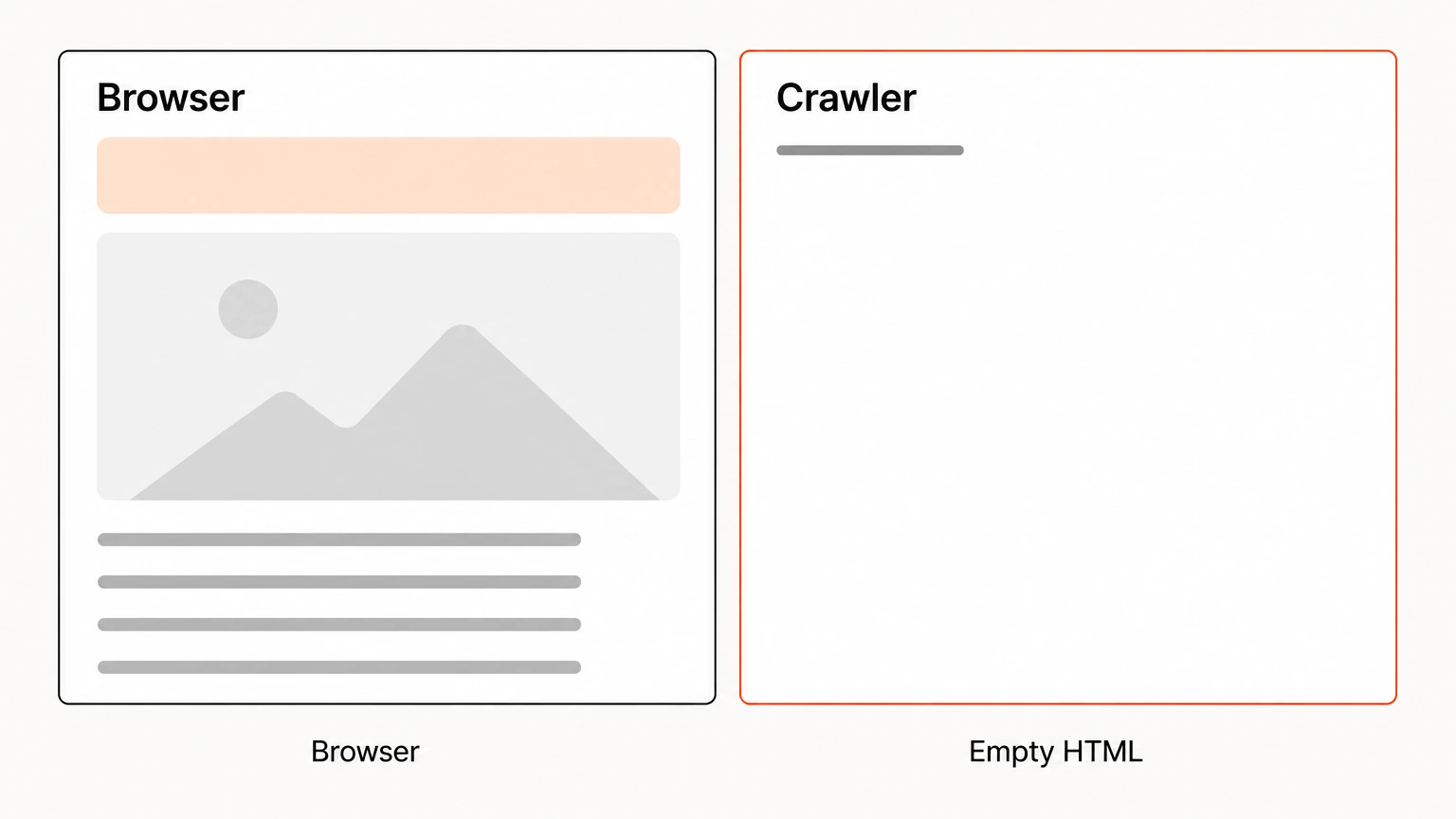
- The marketing site is an application. React, Vue, Angular and Next.js render content in the browser. If a crawler receives an empty shell, your feature copy does not exist as far as search is concerned.
- Three properties share one domain. Marketing pages, product documentation and a logged-in app all live together, competing for crawl budget and often for the same queries.
- Scale arrives suddenly. A programmatic integration directory can add four hundred pages in a week. One template error multiplies across every one of them.
- Release velocity breaks things quietly. Shipping weekly means canonical tags, redirects and sitemaps drift out of correctness between audits.
Run site:yourdomain.com and compare the count against your intended page count. Dramatically higher means application or parameter pages are leaking into the index. Dramatically lower means rendering or crawl problems. Either way, that gap is your bottleneck.
1. JavaScript rendering
The single highest-impact technical issue in SaaS. Googlebot can execute JavaScript, but it does so in a deferred second pass, and other crawlers are far less capable. AI crawlers in particular are poor at it, which means a client-rendered page can be invisible to exactly the engines now forming buyer shortlists.
What to do
- Server-side render or statically generate every revenue-critical page. Pricing, product, features, comparison, alternative and use-case pages should ship complete HTML.
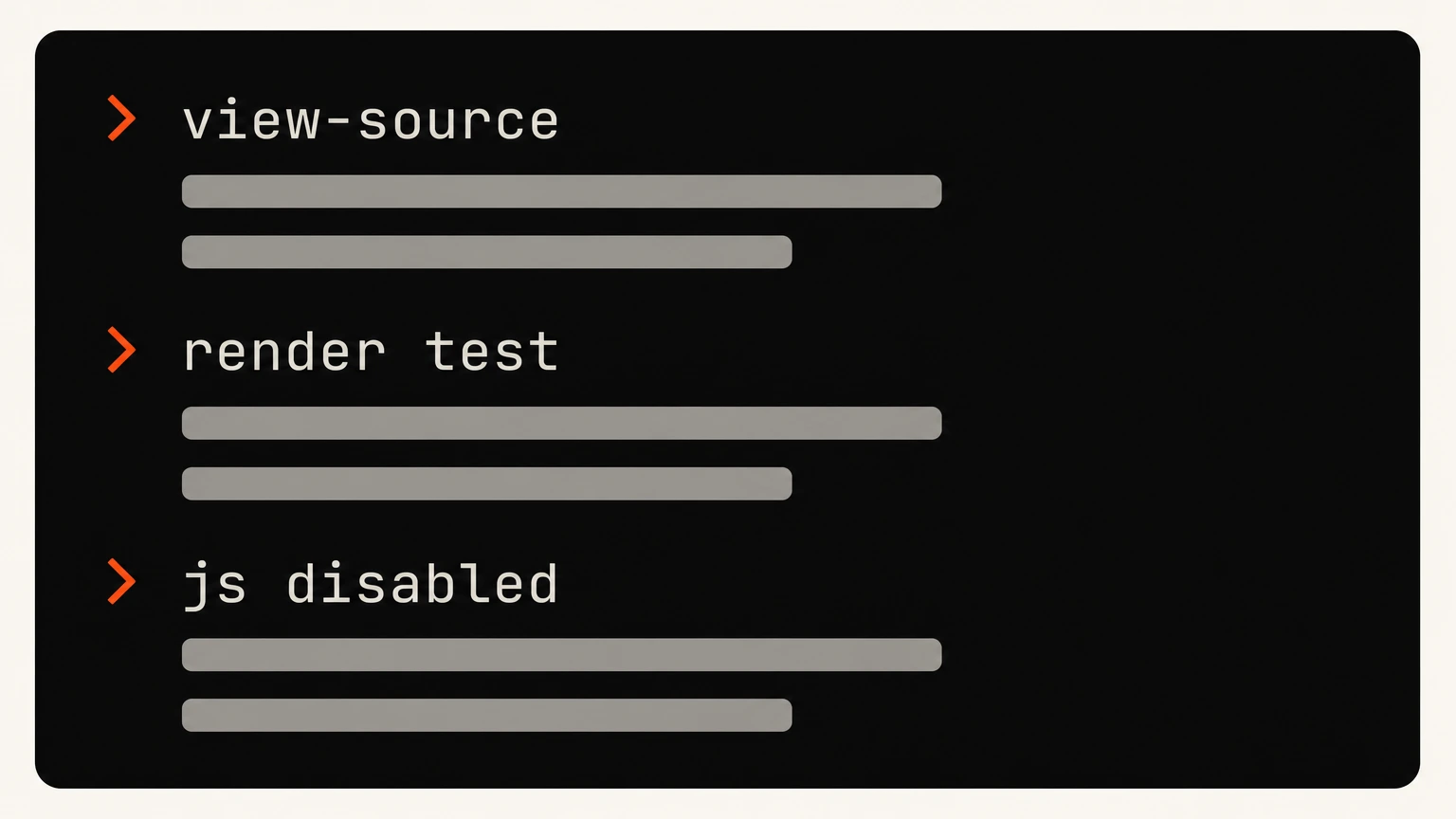
- Verify with the rendered HTML, not the browser view. Search Console's URL Inspection shows what Google actually received. Compare it against what you expect to be there.
- Test with JavaScript disabled. Crude but fast. If the page is blank, so is your ranking potential on non-Google engines.
- Never lazy-load primary content or internal links. Content behind a scroll event or a click may never be discovered.
2. Site architecture
Architecture decides how authority flows and which pages compete with each other. On a SaaS site the recurring failure is documentation outranking commercial pages for commercial queries.
- Cluster by intent, not by internal org chart. Features, use cases, industries, comparisons and resources as distinct paths.
- Keep every commercial page within three clicks of the homepage. Depth correlates with crawl frequency and perceived importance.
- Separate documentation under /docs or /help. Then link deliberately so the commercial page is the obvious parent for commercial intent.
- Use a subfolder for the blog. Links earned on blog.example.com build authority for a subdomain rather than your marketing site. A subfolder consolidates it.
- Audit for cannibalization quarterly. Two pages targeting one query means neither ranks properly.
Moving a blog from subdomain to subfolder is disruptive and usually worth it. Expect a four to eight week dip before the consolidated authority shows up. Do it during a quiet quarter, never before a funding round or launch.
3. Indexation and crawl budget
What you keep out of the index matters as much as what you put in. SaaS sites generate enormous volumes of low-value URLs automatically.
Keep out of the index
- Logged-in application routes
- Filtered and sorted listing views
- Staging and preview subdomains
- Internal search results
- Release notes and changelogs, usually
- Thin utility and legal pages
- Versioned documentation archives
Prioritize in the sitemap
- Product and feature pages
- Pricing
- Comparison and alternative pages
- Use-case and integration pages
- Editorial content earning links
- Current documentation only
robots.txt stops crawling. A noindex directive stops indexing. A page blocked in robots.txt can still appear in results because the crawler never read the noindex it contains. To remove a page, allow the crawl and use noindex, then block it later once it has dropped out.
4. Schema markup
Structured data helps both search engines and AI systems understand what your product is and what a page claims. For AI citation specifically, explicit machine-readable facts are considerably easier to extract than prose.
- SoftwareApplication on product pages, with applicationCategory and operatingSystem
- Organization and WebSite sitewide, with sameAs pointing at your real profiles
- FAQPage on pricing and feature pages, where the questions genuinely appear on the page
- BreadcrumbList on every page below the homepage
- Article with a named author on editorial content, since author entities feed trust signals
- Product and Offer where you publish pricing, which also makes your tiers extractable by AI
Only mark up what is visible on the page. AggregateRating in particular attracts manual action if the reviews are not genuinely on your site. Validate everything through the Rich Results Test before shipping.
5. Core Web Vitals
Speed is a modest ranking factor and a substantial conversion factor. On a SaaS marketing site the wins are usually the same handful of issues.
- Largest Contentful Paint under 2.5 seconds. Usually a hero image or a render-blocking font.
- Interaction to Next Paint under 200ms. Typically heavy third-party scripts, chat widgets, analytics, session recorders.
- Cumulative Layout Shift under 0.1. Almost always missing dimensions on images or late-loading banners.
- Audit your tag manager. Marketing sites accumulate scripts nobody has reviewed in two years.
- Judge on field data, not lab scores. Lighthouse in a fast browser tells you little about a real user on mobile.
6. Programmatic pages, done safely
Generating a page per integration, use case or comparison is the most scalable win available to a SaaS company. It is also the fastest way to create a quality problem that suppresses an entire directory.
- Set a uniqueness threshold and enforce it. If a generated page cannot carry meaningfully distinct content, do not publish it.
- Give every page a real reason to exist. Genuine setup steps, screenshots and use cases, not one swapped noun.
- Ship in batches and watch indexation. Fifty pages, verify they index and rank, then the next fifty.
- Automate internal linking between related pages. Otherwise the directory is orphaned from the rest of the site.
- Prune what does not perform. Pages with no impressions after ninety days are dead weight on crawl budget.
| Issue area | Why it hits SaaS harder | What to do |
|---|---|---|
| 1. JavaScript rendering | Googlebot executes JavaScript on a deferred second pass and other crawlers are far less capable. AI crawlers are the worst at it, so a client-rendered page can be invisible to the engines now forming buyer shortlists. | Server-render or pre-render anything commercial, and check the rendered HTML rather than the source. |
| 2. Site architecture | Architecture decides how authority flows and which pages compete. The recurring SaaS failure is documentation outranking commercial pages for commercial queries. | Separate docs from commercial paths and make the intended page the strongest internal target. |
| 3. Indexation and crawl budget | SaaS sites generate enormous volumes of low-value URLs automatically. | Keep the generated set out of the index and prioritize the commercial set in the sitemap. |
| 4. Schema markup | Explicit machine-readable facts are considerably easier for AI systems to extract than prose, which matters for citation. | Mark up the product, the pricing and the claims a page actually makes. |
| 5. Core Web Vitals | Speed is a modest ranking factor and a substantial conversion factor. | Fix the same handful of issues that recur on SaaS marketing sites rather than chasing a perfect score. |
| 6. Programmatic pages | A page per integration, use case or comparison is the most scalable win available, and the fastest way to create a quality problem that suppresses a whole directory. | Ship them only where each page carries something genuinely specific, and monitor the directory as a unit. |
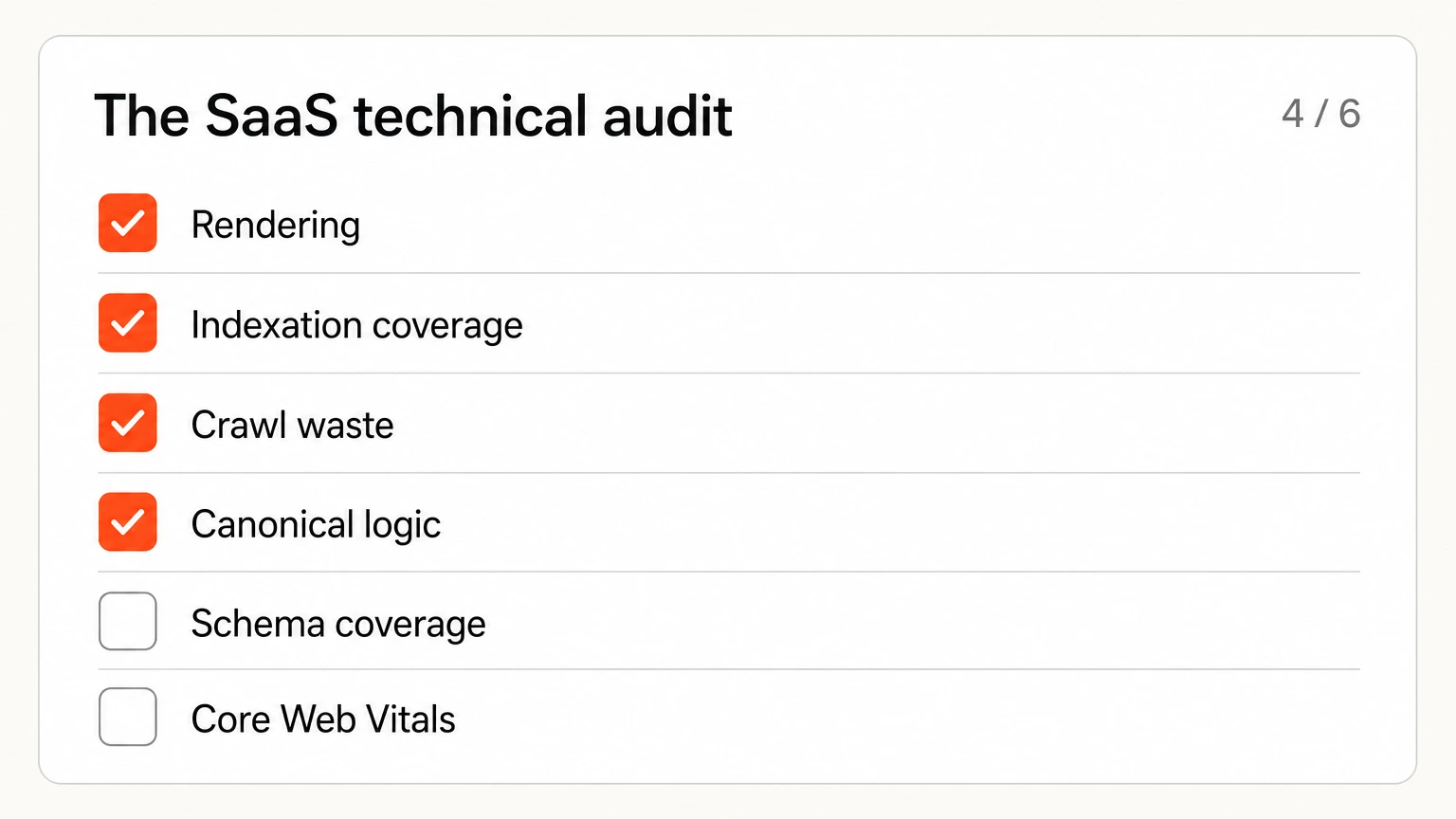
The SaaS technical audit
What we work through on every engagement, in priority order.
Migrations and replatforms
The highest-risk event in SaaS SEO. A rebrand, a replatform or a subdomain consolidation can erase years of compounding in a fortnight, and the damage is usually invisible for the first three weeks.
Before anything ships
- Crawl and archive the current site completely. Every URL, title, meta description and internal link. You cannot verify what you did not record.
- Export twelve months of Search Console data. The interface only retains sixteen months and you will want the comparison later.
- Map every old URL to a new one. One to one wherever possible. Bulk redirects to the homepage destroy the equity you are trying to preserve.
- Identify your top fifty pages by revenue influence. These get individual attention rather than template treatment.
After launch
- Verify redirects resolve in one hop. Chains leak equity and waste crawl budget.
- Watch indexation daily for the first fortnight. Drops show here well before traffic moves.
- Keep the old sitemap live temporarily. It helps search engines discover the redirects faster.
- Expect a dip. Four to eight weeks is normal on a well-executed migration. Panic changes during that window usually make things worse.
Never migrate and redesign simultaneously. If rankings drop you will have no way of knowing which change caused it. Ship the migration, wait for recovery, then redesign.
How we find these problems
Nothing exotic. The value is in knowing which signal matters, not in owning unusual tools.
What is technical SEO for SaaS?
Why does technical SEO matter more for SaaS than other businesses?
Should a SaaS blog live on a subdomain or a subfolder?
How do I know if JavaScript is hurting my SaaS SEO?
What schema should a SaaS website use?
How do I stop documentation from outranking my product pages?
What is crawl budget and does it affect SaaS sites?
How long does a SaaS technical SEO audit take?
Find out what is actually broken
Most SaaS sites have two or three technical issues suppressing everything else. We will tell you which ones you have before you commit to anything.
Audits run 2–3 weeks · Prioritized by revenue impact